2. Make a note of what number the dial is on.
3. Turn Dial to 0
4. Press and Hold the
 button for 10 seconds
 5. Cabinet beeps and S 1 appears
6. Press 'Set'
7. This controls the downflow
8. When you have finished setting the downflow don't do anything for 1 minute, you should get a countdown from 0.59 to 0
9. Press 'Set'
10. Press the down button.
11. Press 'Set'
12. S 2 appears
13. This controls the exhaust
14. When you have finished setting the exhaust don't do anything for 1 minute, you should get a countdown from 0.59 to 0
15. Press 'Set'
16. Press
button when finished17. Turn Dial back to whichever number it was on originally. (1 if there is only 1 cabinet in the room)
Definition of Codes
S 1 = downflow fan run %
S 2= exhaust fan run %
S 3 = Downflow alarm point. This value should be adjusted by pressing the up/down button, the flow in the cabinet will be reduced or increased. Set the downflow to 0.25m/s. The value on the display is just a % and does not refer to flow level. Press set on the remote, this flow level is then stored so that in normal running if the flow velocity drops to this point then the alarm will sound.
S 4 = Not used
S 5 = Exhaust alarm point. This value should be adjusted by pressing the up/down button, the exhaust flow in the cabinet will be reduced or increased. Set the inflow to 0.40m/s. The value on the display is just a % and does not refer to flow level. Press set on the remote, this flow level is then stored so that in normal running if the flow velocity drops to this point then the alarm will sound.
S 6 = Not used
S 7 = Display totakl operating hours
S 8 = Display and reset HEPA filter timer after replacement
S 9 = Display and reset U.V. timer after replacement
S 10 = Downflow nominal set point (0.36m/s)
S 11 = Inflow nominal set point (0.45m/s)
S 12 = Remote control number
S 13 = KI disk, measured number of points 5
S 14 = Time in minutes before reaching nominal pressure values 2
S 15 = Display current window position code 0 (see next table)
S 16 = Auto calibration route start command 0, 1 or 2 0
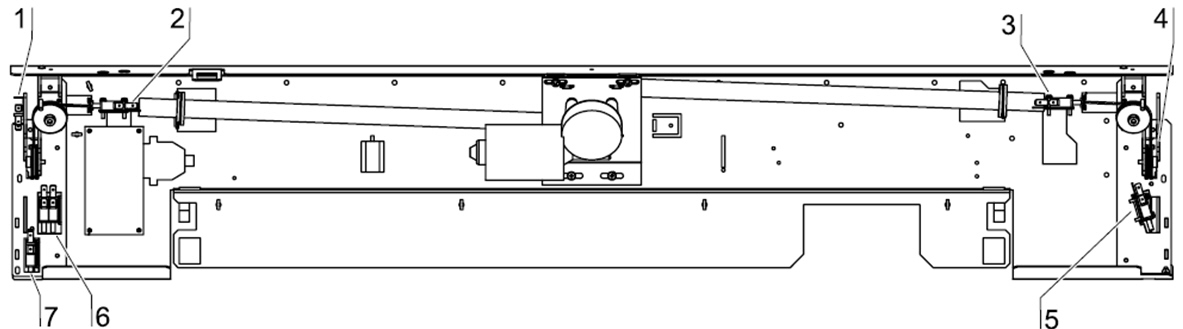
Micro switch checks
To enter setup turn battery dial to 0
Press and hold the socket button until the cabinet beeps
Display show S1
With the window closed, enter the setup with the remote control
press the up button until the display shows S15, press SET
look at the table below to check which error code you get
Come out of setup, move window to normal opening
Enter Setup again go to S15, press SET
look at the table below to check which error code you get
Come out of setup, move window to fully open
Enter Setup again go to S15, press SET
look at the table below to check which error code you get
 and
and  and
and keys depressed for approx 10 seconds this enters you into a setup menu.
 key to enter each keystroke.